Set Default Workspace   Settings>Configuration     Start/Exit       See all How-To’s, Tips & Tricks and FAQ’s here! Presented by Sandy McClintock, Applications Support Specialist Do you have a topic or question you would like to see us cover? Let us know in the comment section below! Join the Conversation: Follow us on Twitter, Facebook…
Change Toolbar Colour     On install Mastercam will default to have a grey background for the toolbars as seen below.     This can be modified, the overall look will change slightly as well.  Please follow the steps below…   File>Open User Folder     Browse to your configuration folder, the default location for this…
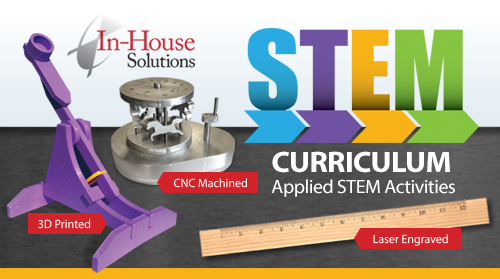
Incorporating a STEM-based curriculum into Career Tech Ed classrooms has never been easier or more affordable. In-House Solutions is now offering Individual School Site Licenses that provide unlimited Applied STEM Activities for every classroom. Individual School Site Licenses, priced at $300/school annually, include as many student and instructor materials you need for your school! At just $25/month…
  Fall 2015 Trade Show schedule at a glance:   CMTS – Sept. 28-Oct. 1 Toronto, ON Booth 1737   Canada Woodworking West – Oct. 7-8 Abbottsford, BC Booth 160   APEMIQ – Oct. 21-23 Longueuil, QC   SAGE Conference – Oct. 23 Steinbach Regional Winnipeg, MB   BCTEA – Conference – Oct. 23 Gladstone SS, Vancouver, BC   CAMX – Oct. 27-29 Dallas,…
We’ve reached a milestone! In-House Solutions’ eMastercam online forum just marked its one millionth post, proving that the active online community continues to serve as a great resource for Mastercam users worldwide. Approximately 56,000 members, most from North America but some visiting the site from locations around the world, use the online forum regularly for all…
What’s new in Mastercam X9? WEBINAR #3 – 2D/3D Mill Toolpath Improvements With the release of X9, Mastercam has made some exciting changes to offer you more than ever! This is the third installment of our X9 Rollout Webinar Series, focusing on Mill 2D & 3D. In approximately 20 minutes, see how X9 has improved toolpath control…
What’s new in Mastercam X9? WEBINAR #2 – Design/Solids With the release of X9, Mastercam has made some exciting changes to offer you more than ever! This is the second installment of our X9 Rollout Webinar Series, focusing on Design/Solids. In approximately 20 minutes, see how X9 has made it easier to design and edit parts and…
Bring your Mastercam questions to the In-House Solutions Team, or just stop by and say hi! Visit In-House Solutions at booth 1737 during the Canadian Manufacturing Technology Show (CMTS 2015) this fall and discover why we’re your best resource for all things Mastercam. From Sept. 28 to Oct. 1, our team of Mastercam experts will be…