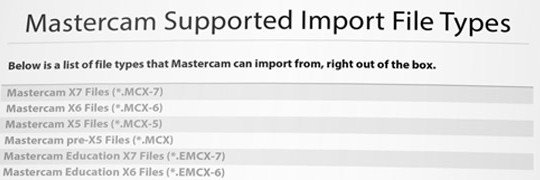
Mastercam X8 has arrived! A few highlights in this release include: improved graphics display, 2D region chaining, the Solids module gets a brand new interface and workflow, Multiaxis gets a new roughing toolpath and Mill-Turn can now define and select Reference Positions. For more details on what Mastercam X8 has to offer, take a quick tour at:…

Get 25% off updates and receive Mastercam X8 when released!* Offer expires with the release of X8 (projected date August 2014) so time is running out! What does the latest version have to offer?Mastercam X7 brings a number of enhancements over previous versions; native 64-bit support, a new unified Backplot and Verify, new Tool Manager, faster toolpath calculations…
Update your Mastercam X3 and get 25% off updates. You’ll also receive X8 when released!* Offer expires with the release of X8 (projected date August 2014) With the upcoming release of Mastercam X8, you will no longer be able to update or receive support if you have Mastercam X3. By updating now, you have the opportunity for…
In-House Solutions launches innovative STEM curriculum There’s no question that science and technology is the key to the future. But without a steady stream of minds eager to tackle the challenges of a rapidly-changing world, we’re in danger of falling behind. That’s why In-House Solutions is developing an innovative and unique curriculum designed for students who…
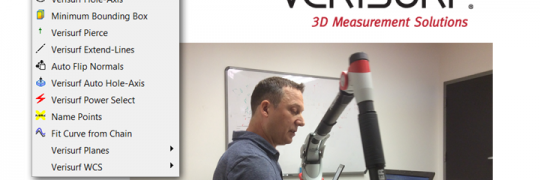
Are you using all the tools at your disposal to make your Mastercam experience as efficient as possible? Verisurf has developed a useful set of tools to increase productivity within Mastercam, and they are free! Useful tools include: Hole Axis – used to quickly get the center points and vectors Minimum Bounding Box – lets you…
Limited time offer – 15% off Mastercam for SolidWorks*: From now until October 31, 2014, take advantage of a special 15% off promotion. This offer is open to users purchasing new and multiple seats of Mastercam for SolidWorks 2D, 3D or Lathe. Act now before time runs out! Mastercam for SolidWorks combines the world’s leading modeling software…
Have you ever needed to know how much stock is remaining at a specific point when programming with Mastercam? This is simple to do with Mastercam Verify. First run the Mastercam Simulator / Verify and make sure you have the “Workpiece” option selected, as well as the “Stock” shown as translucent (See settings in picture).  …